MFA Fatigue Attacks: How Push Bombing Defeats 2FA
MFA fatigue breached Uber and Cisco with nothing but repeated push prompts. How push bombing works, why users approve, and the controls that stop it.
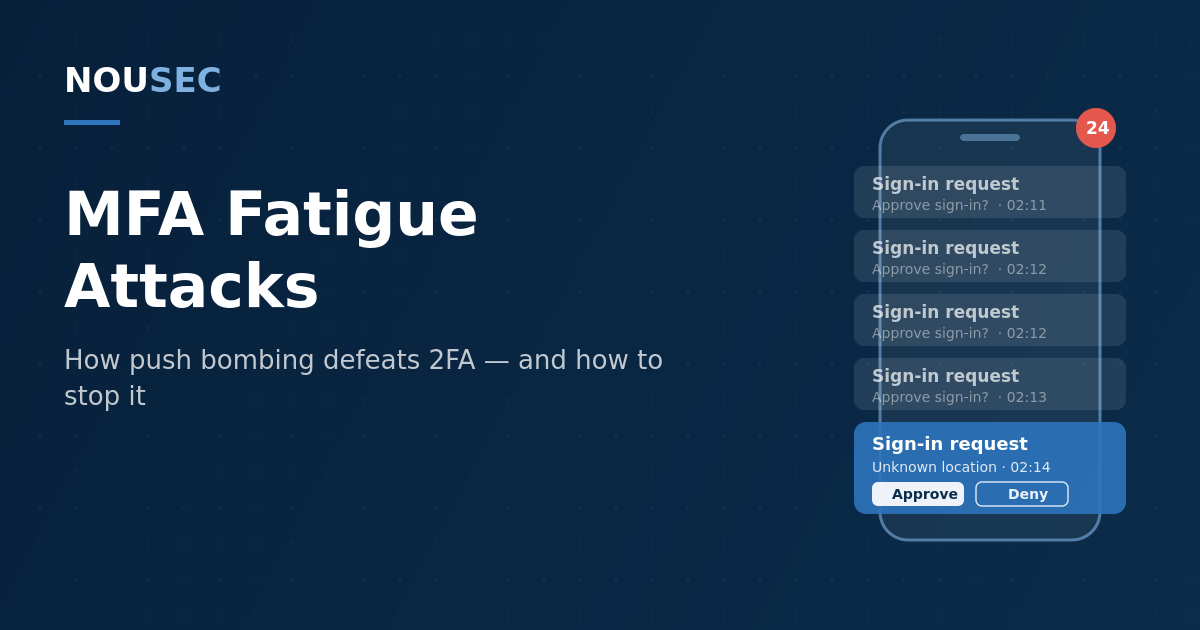
Multi-factor authentication was supposed to be the safety net: even if an employee's password leaks, the second factor holds the line. MFA fatigue attacks — also known as push bombing or MFA spamming — turn that safety net into the attack surface. The attacker does not break the second factor. They ask for it, over and over, at 2 a.m., until a tired human taps "Approve" to make their phone stop buzzing.
The technique needs no malware and no exploit, and it has already opened the door to some of the most instructive breaches of the decade — Uber and Cisco among them. It persists because the ingredient it consumes is cheap and abundant: valid passwords. With the Verizon DBIR attributing 62% of breaches to the human element, and billions of credentials circulating from breaches and infostealer logs, the push prompt is often the only thing standing between a leaked password and your tenant. This guide covers how push bombing works, why people approve, and the specific controls — technical and human — that shut it down.
How an MFA fatigue attack works
Every MFA fatigue attack starts from the same position: the attacker already has a valid username and password. Credential stuffing from old breaches, password spraying, an infostealer on a personal device, or a simple phishing page — the source does not matter. What matters is that push-based MFA now stands between those credentials and access, and the attacker's plan is to make the legitimate user approve the login for them.
The playbook runs in three moves:
- Flood. The attacker scripts login attempt after login attempt, each firing a push notification to the victim's phone. Prompts arrive in bursts — dozens in minutes — often deliberately timed for late night or early morning, when judgment is at its worst and the desire to make the phone shut up is at its peak.
- Pressure. In the more effective variants, the attacker adds a social engineering layer: a call, text, or WhatsApp message posing as IT support, explaining that the prompts are part of a system update or a fix, and that approving the next one will make them stop. This is vishing welded onto push bombing, and it converts an annoying anomaly into an apparently legitimate request.
- Enter. The victim approves — by accident, from exhaustion, or because "IT" told them to. The attacker completes authentication, often immediately enrolls their own device as an additional MFA factor to make the access durable, and moves on to internal systems.
That final detail deserves emphasis: a single tap does not just grant one session. Attackers routinely register a new authenticator under their control within minutes of getting in, which means the victim's later suspicion no longer helps. Detection has to happen at the prompt, not after it.
Push bombing is not an attack on cryptography. It is an attack on the gap between a security decision and the tired human being asked to make it — with one tap, at 2 a.m., with no context.
Why people approve
It is tempting to file MFA fatigue under "user error," but the design of simple approve/deny prompts practically invites the failure. The notification carries minimal context — often no location, no application name, no indication of what the user would be approving. Users approve prompts dozens of times a week as part of normal work, so the tap is muscle memory, not a decision. And the attack weaponizes an emotion security teams rarely model: annoyance. Approving is the only button that makes the buzzing stop.
The corporate case history shows how reliably this works against well-defended organizations:
| Incident | Technique | Outcome |
|---|---|---|
| Uber, Sept 2022 | Contractor's credentials bought from an infostealer marketplace; repeated MFA prompts until one was accepted (attacker linked to Lapsus$) | Attacker accessed internal tools, Slack, and security dashboards |
| Cisco, Aug 2022 | Credentials from a compromised personal Google account; voice phishing calls posing as support plus waves of push prompts | VPN access, privilege escalation, data exfiltrated from the network |
| Scattered Spider, ongoing | Help-desk impersonation and repeated push notifications, documented in the CISA/FBI joint advisory | Account takeover across telecom, hospitality, retail, and insurance targets |
Three different organizations, one common thread: the technical stack held, and the human decision point did not. Cisco Talos's own post-incident write-up is unusually candid about the mechanics — the attacker combined fake "support" calls with prompt floods until one approval landed, then enrolled new devices for persistence.
The defense stack, from quick win to gold standard
The good news is that MFA fatigue is one of the most fixable problems in identity security. The defenses stack, and each layer removes a different part of the attack surface. This is the practical rollout order for a security team.
1. Turn on number matching everywhere push MFA remains. Number matching changes the approval from a tap into a small act of typing: the login screen shows a two-digit code, and the user must enter it in the authenticator app. A bombed victim cannot approve blindly, because only the attacker's screen shows the code. CISA's phishing-resistant MFA fact sheet names number matching the best interim mitigation for organizations not yet ready for FIDO2, and Microsoft judged it valuable enough to enforce it for all Microsoft Authenticator push notifications in May 2023. If any of your identity providers still allow simple approve/deny, this is the single highest-leverage change available.
2. Add context and rate limits. Show location, application, and device in every prompt, so "Approve sign-in from Moscow to VPN" reads differently from a naked approval request. Cap failed or unanswered MFA attempts, lock the flow after a burst, and alert the SOC when an account receives repeated prompts in a short window — that pattern is a high-fidelity indicator that valid credentials are already in hostile hands, not merely a nuisance.
3. Watch the aftermath signals. Because attackers enroll their own MFA device after getting in, treat new-factor registration shortly after an unusual sign-in as a critical alert. Conditional access policies that block logins from anonymizing infrastructure and unfamiliar geographies cut off many bombing campaigns before the first prompt ever fires.
4. Move your riskiest users to phishing-resistant MFA. Number matching stops blind approval, but FIDO2 security keys and passkeys remove the prompt entirely: the credential is cryptographically bound to the origin, there is nothing to approve and nothing to fatigue. CISA calls this class of authentication the gold standard, and Microsoft's telemetry consistently shows phishing-resistant methods blocking the overwhelming majority of identity attacks. Start with admins, finance, and executives — the same population that deepfake voice attacks and help-desk impersonation target.
5. Train the specific reflex, then test it. The human failure in every incident above was not ignorance of MFA — it was the absence of a rehearsed response to an unexpected prompt. The reflex to build is deny, change the password, report; and the message that needs repeating is that approving to silence notifications is exactly what the attacker is counting on. This is trainable and, crucially, testable: simulated MFA fatigue scenarios show you which employees approve unexpected prompts under pressure, and feeding those results into a Human Risk Score lets you target follow-up coaching at the users and roles where a single tap would cost the most. For the broader context on why attackers keep choosing humans over software, see our social engineering statistics roundup.
What this attack tells you about your program
An MFA fatigue attempt is unusually generous with information. It tells you, with near certainty, that the targeted account's password is compromised. It tells you which users deny and report, and which approve under pressure. And it tells you whether your identity stack still contains the one design flaw — the context-free approve button — that the entire technique depends on.
Treat it accordingly. Every unexpected-prompt report should trigger a credential reset and a look at sign-in logs for the source of the attempts. Every simulation cycle should include at least one push-bombing scenario for roles with privileged access. And every quarter that simple approve/deny MFA survives in your environment is a quarter you are relying on every employee winning a battle of attrition against a script that never gets tired.
The attackers' bet is that one person, once, will tap the wrong button. The defender's advantage is that the fix list above is short, cheap, and mostly configuration. Take the bet off the table.
Frequently asked questions
What is an MFA fatigue attack?
An MFA fatigue attack — also called push bombing or MFA spamming — is a technique where an attacker who already has a victim's password triggers a flood of push-based multi-factor authentication prompts, betting that the user will eventually tap approve out of confusion, annoyance, or a desire to make the notifications stop. One approval is all the attacker needs to authenticate as the victim.
Does MFA fatigue mean multi-factor authentication is broken?
No. MFA fatigue exploits one specific implementation — simple approve/deny push notifications — not the concept of MFA itself. Number matching defeats blind approval, and phishing-resistant methods such as FIDO2 security keys and passkeys eliminate the push prompt entirely. CISA explicitly recommends keeping MFA and upgrading its form rather than abandoning it.
What is number matching and does it stop push bombing?
Number matching requires the user to type a two-digit code shown on the login screen into their authenticator app before the sign-in is approved. Because the attacker sees the code and the victim does not, a bombed user cannot approve a login accidentally — there is nothing to type. Microsoft considered it important enough to enforce number matching for all Microsoft Authenticator push notifications from May 2023. It sharply reduces MFA fatigue risk, though unlike FIDO2 it does not stop adversary-in-the-middle phishing.
How should employees respond to MFA prompts they did not initiate?
Never approve, and never approve just to silence the notifications. The correct sequence is: deny the prompt, change the account password immediately (the attacker demonstrably has the current one), and report the incident to security. Organizations should make this sequence explicit in training and rehearse it with simulations, because an unexpected MFA prompt is high-confidence evidence of compromised credentials.
NOUSEC simulates attacks across 8 channels and turns the results into one number your board can read.
Book a demo