The 87-Password Problem
The average employee juggles 87 work passwords. Why reuse is rational, how stolen credentials fuel breaches, and how to run a rollout that sticks.
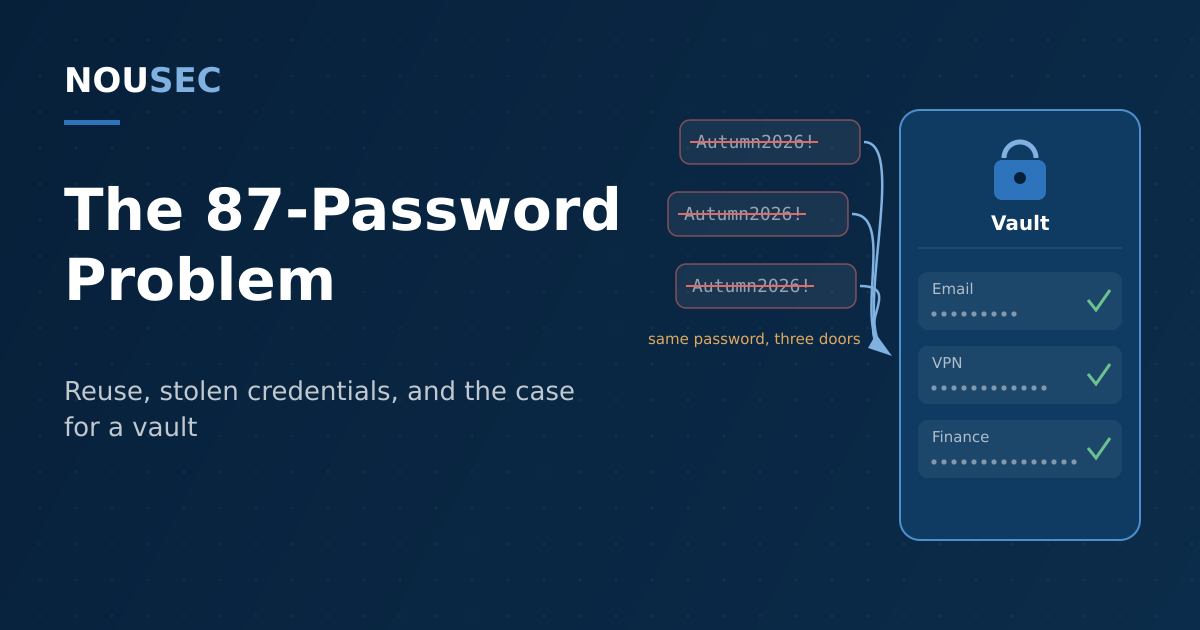
Count the login prompts an employee meets in a working year and the number stops being funny. A 2024 NordPass survey put the average person at 168 personal passwords, up 68 percent since 2020 — plus another 87 for work. Treat those figures as a vendor's directional estimate rather than a census, and the conclusion still holds at half the count: no human being can memorize dozens of strong, unique secrets. So nobody does.
What people do instead is entirely sensible. They pick one password they can remember, add the year or an exclamation mark when a policy demands it, and use it everywhere. Security teams call this reuse and treat it as a failure of discipline. It is better understood as a rational response to an impossible task — and it stays rational until the organization changes the task itself.
This guide covers what actually happens to a reused work password, what the rewritten NIST guidance now expects from your password policy, and how to roll out an enterprise password manager that employees keep using after week two.
Reuse is a coping strategy, not a character flaw
The arithmetic of memory is unforgiving. A strong password is long and random; a memorable password is short and patterned; and the number of accounts keeps growing every year as new services launch and old ones linger. Asked to resolve that contradiction with willpower alone, employees resolve it the only way they can — by recycling.
That would be a private vice if passwords failed privately. They do not. The Verizon 2026 DBIR attributes 62 percent of breaches to the human element, and stolen credentials remain one of the two dominant ways attackers first get in. A password reused between a breached consumer site and a corporate login is not two passwords: it is one password with two doors.
Where one reused password actually goes
A work credential rarely leaks alone. It is harvested, packaged, and resold through a supply chain that has industrialized over the past three years.
The volume side is driven by infostealer malware — lightweight programs that grab every saved password, cookie, and session token from a device in seconds. IBM's X-Force team measured an 84 percent year-over-year jump in emails carrying infostealers in 2024, with early 2025 data running higher still, and counted more than eight million dark-web listings tied to the top five stealer families. When Microsoft and Europol disrupted Lumma Stealer in May 2025, they found over 394,000 infected Windows devices from just a two-month window.
The consequence side looks like Snowflake. Mandiant's investigation of the 2024 campaign against roughly 165 customer environments found that most of the credentials used were already available from historical infostealer infections — some dating back to 2020 — frequently harvested from personal devices that corporate security never saw. Old passwords, still valid, still reused, waiting in a combo list for someone to try the door. Our infostealer guide walks through that supply chain in detail; the short version is that credential stuffing is not an exotic attack. It is a replay of your employees' own habits.
A policy that asks employees to memorize 87 unique, strong, regularly rotated secrets is not a policy. It is a dare — and the people taking you up on it are not your employees.
Here is how the main credential attacks line up against the tool, honestly:
| Attack | How it exploits passwords | A manager fixes it? |
|---|---|---|
| Credential stuffing | Replays breached pairs against other sites | Yes — unique credentials make replays worthless |
| Password spraying | Tries a few common passwords across many accounts | Yes — generated passwords never appear in wordlists |
| Lookalike-domain phishing | Tricks the user into typing a real password on a fake page | Mostly — autofill stays silent on the wrong domain |
| Infostealer on the endpoint | Steals whatever the device can decrypt | No — pair with device hygiene, MFA, and passkeys |
The rules changed — your policy may not have noticed
In August 2025, NIST published the current revision of SP 800-63B, its digital identity guideline, and it reads like an apology for twenty years of password folklore. Verifiers shall not require periodic password changes. Composition rules — the mandatory symbol, the uppercase letter — shall not be imposed. Password managers and autofill shall be allowed, and pasting into password fields should be permitted precisely "to facilitate password manager use." What NIST asks for instead is length (a 15-character minimum where the password is the only factor) and screening every new password against blocklists of known-compromised choices.
CISA's guidance points the same direction: using strong, unique passwords with a password manager is one of its Core 4 behaviors for every employee — a point our Cybersecurity Awareness Month playbook builds a whole October week around.
The practical reading: a 90-day rotation rule does not just annoy people. It manufactures the predictable Autumn2026! → Winter2027! sequences that spraying tools are tuned for, while draining the attention budget you need for decisions that matter. Security researchers have a name for what that constant low-value friction produces — security fatigue — and a fatigued workforce is measurably worse at the judgment calls no tool can make for them.
How to roll out a password manager that sticks
Most failed deployments die of optional-ness: the tool is bought, announced, and left to compete with habit. The rollouts that work treat the manager as infrastructure, not as advice.
- Fix the policy before the tooling. Align with the current NIST text first: drop rotation and composition rules, raise minimum length, and state in writing that long passphrases are the standard. A rollout that leaves the old rules standing asks employees to serve two contradictory masters.
- Buy the enterprise edition and wire it to your identity stack. Provisioning through your single sign-on and directory means vaults appear on day one and disappear at offboarding, instead of depending on each employee's initiative.
- Protect the one secret that remains. The master passphrase is now a high-value target. Make it long, make it the thing your training actually rehearses, and put phishing-resistant MFA in front of the vault.
- Migrate by team, starting where the blast radius is biggest. Admins, finance, and executives first — the accounts help-desk impersonators and spear phishers already prioritize.
- Turn on breach monitoring and blocklists. Enterprise managers flag credentials that surface in leaks; NIST's blocklist requirement covers the same ground at the point of creation. Together they shrink the window in which a stolen password stays useful.
- Measure adoption like a security metric, because it is one. Vault adoption, reuse score, and weak-password counts are behavioral telemetry — the same class of signal that feeds a human risk score and tells you which teams need attention rather than another reminder email.
- Treat the manager as the bridge, not the destination. Modern vaults store passkeys alongside passwords, which makes the rollout a staging ground for retiring passwords entirely — the path our passkeys and FIDO2 migration guide lays out.
The takeaway
Password reuse is not an awareness problem, and one more slide deck will not fix it. It is an architecture problem: the organization has quietly outsourced credential generation to human memory, and human memory is doing exactly what it always does under that load. A password manager moves the load to a machine that enjoys it. The NIST revision removed the last official excuse for policies that fight the tool. What remains is an execution job — policy first, identity-stack integration, protected master passphrases, and adoption tracked as seriously as patch compliance — and a workforce that gets to spend its finite attention on the threats that still require judgment.
Frequently asked questions
Do password managers actually make an organization safer?
Yes, because they remove the root cause behind several attack classes at once. Credential stuffing and password spraying both depend on humans reusing a small set of memorable passwords; a manager makes every credential long, random, and unique, so one breached account no longer opens others. The autofill engine also refuses to fill credentials on lookalike domains, which quietly blocks many phishing pages. What a manager cannot fix is a compromised device — an infostealer on the endpoint can capture whatever the user decrypts — so it belongs alongside device hygiene and MFA, not in place of them.
What does NIST now say about password rotation and complexity?
NIST SP 800-63B, updated in August 2025, reverses the folk wisdom most password policies were built on. Verifiers shall not require periodic password changes, shall not impose composition rules like mandatory symbols and mixed case, shall allow password managers and autofill, and should permit pasting into password fields. Instead, NIST requires length — a 15-character minimum where a password is the only factor — and screening new passwords against blocklists of known-compromised choices. If your policy still forces 90-day rotation and special characters, it now contradicts the standard it probably cites.
Should we deploy a password manager or single sign-on?
Both, for different layers. Single sign-on puts your core SaaS applications behind one strongly protected identity, shrinking the number of passwords that exist at all — but SSO never covers everything. Every organization carries a long tail of tools that do not support it, plus shared accounts, infrastructure credentials, and the SSO recovery path itself. The password manager catches that tail. A practical architecture is SSO with phishing-resistant MFA for the applications that support it, and an enterprise password manager for everything that does not.
What happens if the password manager itself is breached?
Reputable managers are built on zero-knowledge architecture: vaults are encrypted and decrypted locally, and the vendor never holds the master password or usable keys. A breach of the vendor's infrastructure then yields encrypted blobs whose protection depends on the strength of each user's master passphrase — which is why enterprise rollouts should enforce a long master passphrase plus phishing-resistant MFA on the vault. That residual risk is real but small compared with the alternative: without a manager, employees fall back on reused and browser-saved passwords, which are exactly what infostealer malware and credential stuffing harvest at scale today.
NOUSEC simulates attacks across 8 channels and turns the results into one number your board can read.
Book a demo