ClickFix Attacks: When the Victim Runs the Malware
ClickFix fake-CAPTCHA lures grew over 500% and now trail only phishing. How the copy-paste attack works, why users comply, and how to stop it.
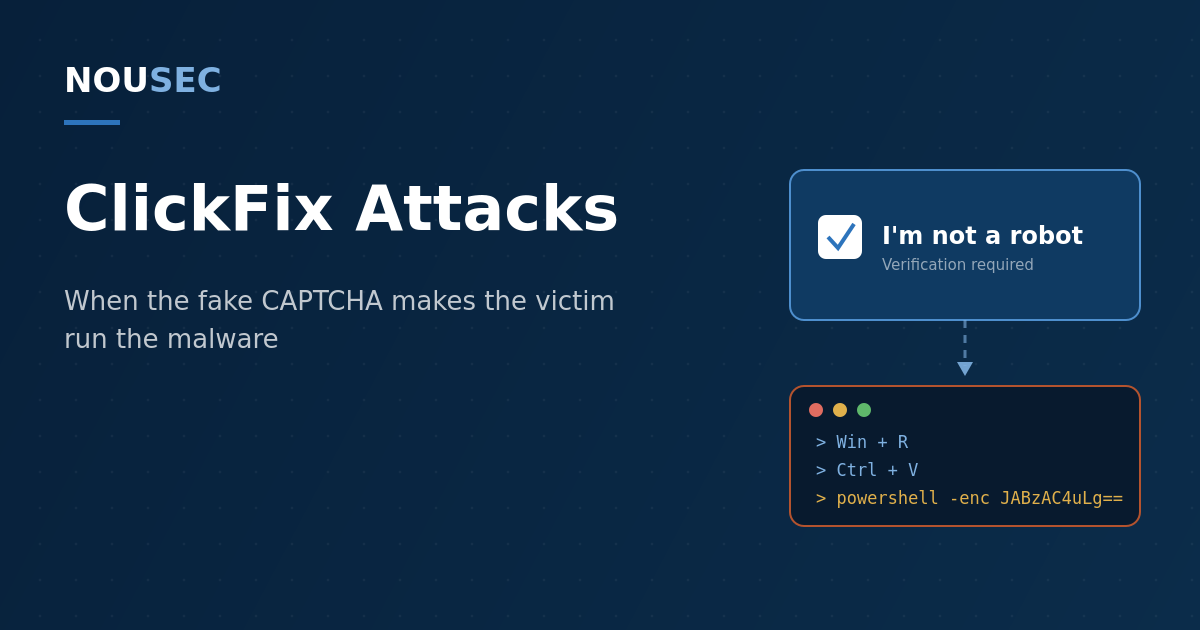
For two decades, security awareness training has repeated one core instruction: don't open the attachment, don't click the link. ClickFix attacks sidestep that instruction entirely. There is no attachment. Often there is no link in any email at all. Instead, a web page politely asks the user to prove they are human — and walks them through infecting their own machine, one keyboard shortcut at a time.
The numbers say this is not a niche trick. ESET's threat telemetry recorded a surge of over 500% in ClickFix detections in the first half of 2025, making it the second most common attack vector after phishing itself and accounting for nearly 8% of all blocked attacks. Microsoft tracks campaigns hitting thousands of enterprise and end-user devices daily. And by 2026 the technique had matured into a commodity: ReversingLabs found ready-made ClickFix kits selling for $250 a month, usable by attackers with no malware development skills at all.
This guide explains how the attack works, why ordinary, sensible employees comply with it, and what security teams can do — technically and behaviorally — to shut it down.
How a ClickFix attack works
The attack chain is short, and its brilliance is that the browser never downloads anything malicious. The victim does all the work.
- The victim lands on the lure. Delivery routes include compromised legitimate websites, malvertising placed through real ad networks, SEO poisoning that ranks malicious pages for common search terms, and phishing emails impersonating vendors or internal IT.
- A familiar interface appears. Most often it is a fake CAPTCHA — a convincing clone of Google reCAPTCHA or Cloudflare Turnstile — but Microsoft has also documented fake Word error messages, spoofed government sites, and Discord "server verification" screens.
- The clipboard is loaded silently. Clicking "I'm not a robot" or "Fix it" triggers JavaScript that copies an obfuscated command to the victim's clipboard. The victim sees nothing.
- The page issues instructions. "Verification steps: press Win+R, press Ctrl+V, press Enter." Three keystrokes that open the Windows Run dialog, paste the attacker's command, and execute it.
- The payload runs. The command typically invokes a trusted, pre-installed binary — PowerShell, mshta.exe, rundll32.exe — to fetch and run the real payload from an attacker server. Because these are legitimate system tools ("living off the land"), the activity blends into normal noise.
ClickFix inverts the phishing model: the attacker no longer needs to smuggle malware past your defenses. They ask the user to carry it through the front door — and dress the request up as a security check.
What lands at the end of the chain varies by campaign. Microsoft's telemetry lists Lumma Stealer as the most prolific payload, alongside remote access trojans (XWorm, AsyncRAT, NetSupport), loaders like Latrodectus, and — on macOS — the AMOS infostealer. ESET adds ransomware, cryptominers, and custom malware from nation-state-aligned actors to the list. In other words: ClickFix is a delivery mechanism, and everyone from commodity criminals to APTs has adopted it.
Why it works: the psychology of the fake fix
ClickFix succeeds for the same reason quishing did before it — it exploits an interaction people have been trained to complete without thinking.
CAPTCHAs are friction people expect. Users solve them dozens of times a week. A verification box triggers compliance, not suspicion; it is literally a ritual of proving trustworthiness.
The instructions feel harmless. No one is asked to "download and run a program." They are asked to press three keys. Most employees have no mental model connecting the Run dialog or a pasted string to code execution — pasting feels like the opposite of installing something.
The framing supplies its own justification. Whether the pretext is a robot check, a broken document that needs "fixing," or a fake browser update, the page casts the malicious action as the solution to a problem, and users in the middle of a task want the problem gone. It is the same completion-pressure that makes MFA fatigue attacks work: the fastest path back to normal is the tap the attacker wants.
Nothing in the security stack objects. No attachment is scanned, no download is flagged, and the command runs under the user's own account through signed Microsoft binaries. The one control in the loop is the human — which is precisely why this is a human risk problem before it is an endpoint problem.
The variant family: ClickFix is now a category
What started as one trick is now a pattern with interchangeable parts. The lure, the paste target, and the payload all vary:
| Variant | Paste target | Typical lure |
|---|---|---|
| Classic ClickFix | Windows Run dialog (Win+R) | Fake CAPTCHA / "verify you are human" |
| Terminal ClickFix | PowerShell or macOS/Linux terminal | Fake error message with a "fix" command |
| FileFix | File Explorer address bar | "Open the file path we copied for you" |
| Fake update | Run dialog or terminal | "Your browser/driver is out of date" |
The FileFix evolution matters because it defeats the most obvious countermeasure. An organization that disables the Run dialog is still exposed if File Explorer's address bar — which also executes commands — remains a paste target. Defense has to address the behavior (pasting untrusted commands anywhere) rather than one dialog box.
How to defend against ClickFix
Technical controls
Start by shrinking the attack surface. Microsoft's guidance is concrete: disable the Windows Run dialog via Group Policy for users who do not need it, enforce PowerShell execution policy and script block logging, and enable attack surface reduction rules that block obfuscated scripts. Web protection (SmartScreen, network-level URL filtering) catches many lure pages, and restricting or allowlisting remote-management tools limits what a successful paste can install. Hunt for the telltale sequence in your EDR telemetry: explorer.exe or a browser spawning powershell.exe, mshta.exe, or cmd.exe shortly after clipboard interaction — and treat RunMRU registry entries containing URLs or encoded commands as high-confidence indicators.
None of this is sufficient alone. Every technical control above has a bypass — FileFix exists precisely because Run-dialog restrictions worked — and the lure pages live on legitimate, often freshly compromised domains.
Human controls
The behavioral fix is unusually teachable, because the rule is absolute:
- Teach the one-line rule. No legitimate website, CAPTCHA, or error message will ever ask you to press Win+R (or open a terminal, or paste into the address bar) and run something. Not rarely — never. Absolute rules survive stress better than judgment calls.
- Simulate the actual behavior. Reading about ClickFix is not the same as meeting one mid-task. Include fake-CAPTCHA and fix-it pages in your phishing simulation program so employees experience the lure safely and build the stop-reflex before a real campaign tests it. Simulation data also tells you who complies, not just who theoretically knows better.
- Measure and target. Feed simulation outcomes and reporting behavior into a Human Risk Score so the users most likely to paste-and-run get targeted micro-training instead of the whole company getting another generic module. Copy-paste compliance is a distinct behavior from link-clicking — your metrics should treat it as one.
- Make reporting the easy path. An employee who closes a weird CAPTCHA and reports it hands you the compromised website or malvertising campaign hours before your threat intel feed does. Reward the report, even when it turns out to be nothing.
For the broader behavioral context — why the human element keeps outpacing technical exploits across every major report — see our social engineering statistics roundup.
The bigger lesson
ClickFix will eventually fade, the way any single technique does once defenses catch up. The pattern behind it will not: attackers keep finding interactions that people perform on autopilot — CAPTCHA checks, QR scans, MFA prompts, error dialogs — and turning the ritual itself into the weapon. A security program that only trains against last year's lure is permanently one variant behind.
The durable defense is a workforce whose default response to any unexpected instruction from a screen — paste this, approve this, scan this, call this number — is a beat of suspicion and a low-friction way to report it. That is not a training module; it is a measurable, improvable behavior. Building it is exactly what human risk management is for.
Frequently asked questions
What is a ClickFix attack?
ClickFix is a social engineering technique in which a web page — typically a fake CAPTCHA, a fake error message, or a fake fix-it prompt — silently copies a malicious command to the victim's clipboard and then instructs them to paste and run it, usually via the Windows Run dialog (Win+R) or a terminal. Because the victim executes the command themselves, no malicious file is ever downloaded through the browser, which lets the attack bypass email filters and many endpoint controls.
Why do employees fall for ClickFix?
The lure imitates interfaces people trust and complete on autopilot — CAPTCHA checks, browser update prompts, error dialogs offering a fix. The requested actions (press Win+R, press Ctrl+V, press Enter) are framed as routine verification steps, and most users have never been told that pasting text into a system dialog can execute code. The attack converts a security check people perform dozens of times a week into the infection mechanism itself.
Does ClickFix only affect Windows?
No. Most campaigns target Windows via the Run dialog or PowerShell, but ESET notes the technique works across Windows, macOS, and Linux — macOS variants instruct victims to paste commands into Terminal and have delivered the AMOS infostealer. The FileFix variant swaps the Run dialog for the File Explorer address bar, which also executes pasted commands.
How can organizations defend against ClickFix?
Combine technical and human controls: disable the Windows Run dialog for users who do not need it via Group Policy, enable PowerShell logging and attack surface reduction rules, and — critically — train and simulate the specific behavior. Employees should learn one rule: no legitimate website will ever ask you to press Win+R and paste something. Include ClickFix-style pages in phishing simulations so the reflex to stop is built before a real campaign tests it.
NOUSEC simulates attacks across 8 channels and turns the results into one number your board can read.
Book a demo