The Trusted Channel: When the Attack Comes Through Teams
Teams vishing is up nearly 10x and fake IT help desks are calling your employees. How collaboration app phishing works and how to defend against it.
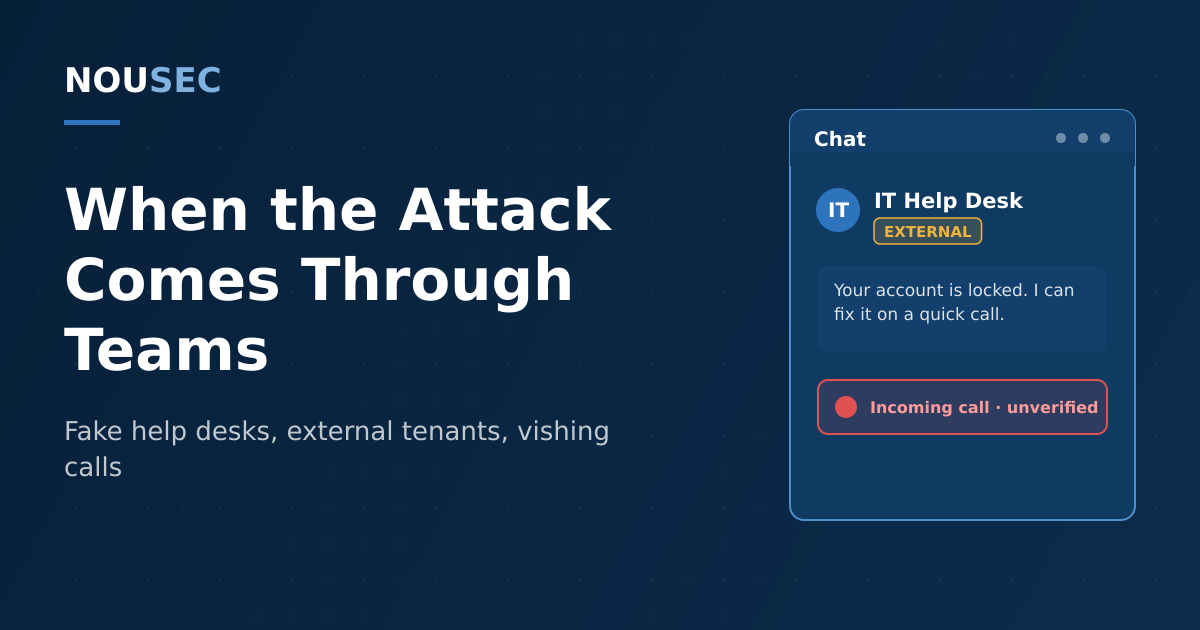
Your secure email gateway inspects every message, rewrites every URL, and stamps external mail with a warning banner. So attackers stopped sending email. They open Microsoft Teams, set the display name to "Help Desk," and call your employees directly — and in most tenants, nothing stands between their keyboard and your people.
The shift is now measurable at platform scale. Microsoft's Q2 2026 email threat landscape report counted roughly 7.6 billion email phishing threats in the quarter — and alongside them, weekly malicious Teams call attempts running at nearly ten times the mid-2025 baseline, with most of the social engineering impersonating IT help desks warning of account lockouts. Palo Alto Networks' Unit 42 reports that collaboration-tool phishing made up 42% of its Cortex phishing alerts in the first four months of 2026, up from 30% in the previous four months. The inbox is no longer the frontline. The chat window is.
This guide covers how Teams and Slack phishing actually works, the campaigns that proved the model, and the configuration and training changes that close the channel down.
Why chat beats email for attackers
Email phishing fights twenty years of defensive investment: gateways, sandboxes, DMARC, banners, and an employee population that has been drilled — often through phishing simulations — to distrust the inbox. A Teams message fights almost none of that.
The platform does the attacker three favors. Trust transfer: chat feels internal. A message in Teams or Slack sits next to conversations with real colleagues, with no external banner most users notice, so an "IT Support" display name inherits credibility no unknown sender address would get. Open doors by default: unless an admin has changed it, Microsoft 365 tenants accept chats and calls from any other tenant — anyone can register a .onmicrosoft.com domain in minutes and message your staff as "certified-network-support." Real-time pressure: a live chat or call lets the attacker escalate urgency, answer objections, and walk the victim through each step — something no static email can do, and the reason vishing over Teams has grown fastest of all.
The campaigns that proved the model
Teams phishing is not a prediction; it has a well-documented operational history, and the technique has moved down-market from nation-states to commodity crews in under three years.
| Campaign | Actor and date | Technique |
|---|---|---|
| Teams credential phishing | Midnight Blizzard, 2023 | Compromised tenants renamed to look like Microsoft support; chats pushed victims to approve MFA prompts |
| Email bombing + fake help desk | Black Basta, 2024 | Flooded inboxes with spam, then called via Teams as "IT" offering to fix it, installing remote access tools |
| Spring Ring vishing | Unattributed, Jan–Apr 2026 | External tenants posing as help desks called 150+ employees across 10+ companies, pushing Quick Assist and RMM payloads |
| Teams help-desk vishing at scale | Various, 2026 | Microsoft telemetry: weekly malicious Teams calls near 10x the mid-2025 baseline |
Microsoft attributed the first wave to Midnight Blizzard, the Russian state actor behind the SolarWinds compromise, which used previously compromised small-business tenants — renamed to include the word "microsoft" — to send Teams chats that talked targets into approving MFA prompts.
The technique's real breakout was criminal. In 2024, ReliaQuest documented Black Basta affiliates flooding employees' inboxes with mailing-list spam — a deliberate email bombing — and then, with the victim drowning in mail, calling them over Teams as the helpful IT desk. The "fix" was installing a remote management tool that handed the attacker the endpoint, a staging point for ransomware.
By 2026 the model had commoditized. Unit 42's Spring Ring investigation found at least 26 distinct attacker identities working through target lists from commercial VPN exits, using fresh external tenants with authoritative-sounding names. Successful calls lasted ten to fifteen minutes and ended with the victim running Quick Assist or a remote monitoring tool; one variant escalated all the way to an NTLM relay against a domain controller. None of it exploited a vulnerability. Every step abused a legitimate feature and a helpful employee.
The attacker no longer has to get past your email filter — only past the default setting that lets any tenant on the internet start a chat with your staff, and the instinct that says a message inside Teams must be from a colleague.
Slack is not exempt. Its external DM and Slack Connect features have been abused for lookalike-workspace lures and malicious links, and stolen Slack credentials or tokens turn the workspace itself into the breach: internal channels are a map of your company that no outsider should hold. The lesson generalizes to any chat platform — Zoom, Google Chat, Discord — wherever "internal" trust meets an externally reachable surface.
Anatomy of a Teams help-desk attack
The dominant 2026 playbook runs in five moves, and it is worth teaching as a sequence, because employees recognize sequences better than indicators. First, pressure: the attacker creates a problem — an email flood, or simply the claim that "your account is being migrated." Second, contact: a Teams chat or call arrives from an external account named Help Desk, IT Assistance, or Support Staff. Third, legitimacy: the attacker references the problem they created, sometimes using a real employee's name scraped from LinkedIn. Fourth, action: the victim is talked into one of three things — approving an MFA push, reading out a code, or installing remote access software (Quick Assist, AnyDesk, or similar). Fifth, escalation: with an endpoint or a session token in hand, the attacker moves laterally, exactly as they would after any help desk impersonation — this is the same con, with your employee playing the role of the service desk.
How to defend: configuration first, people always
The good news: unlike email, where you cannot opt out of receiving messages from strangers, collaboration platforms give administrators real levers.
Start with tenant hygiene. In the Teams admin center, replace the default allow-all external access with an allowlist of partner domains you actually work with — or disable external chat and calling outright if the business doesn't need it. Review guest access with the same skepticism. In Slack, restrict who can start Slack Connect channels and external DMs. These single settings would have stopped the initial contact in Spring Ring and most Black Basta Teams intrusions.
Then turn on the detections you already own. Teams phishing protection flags suspicious external messages; alerts for newly allowed domains and unusual external-call volume belong in the SOC queue next to email telemetry. Audit which external tenants have messaged your users in the past 90 days — the list is usually shorter, and stranger, than expected.
Harden the actions attackers ask for. Block or tightly scope Quick Assist and unapproved RMM tools on managed endpoints, require phishing-resistant MFA so an approved push is worth less, and give the real help desk a verifiable identity — a known channel, named staff, and a rule that IT never cold-calls to ask for codes, remote access, or password resets.
Finally, retrain the instinct, not just the inbox. Employees should treat an unsolicited chat or call about an account problem exactly as they treat a suspicious email: verify through a separate, known channel before acting. That reflex only forms if your awareness program rehearses it — multi-channel simulations that pair an email flood with a friendly follow-up call, chat lures from plausible external tenants, and a one-click way to report them. Tracked over time, those responses show you precisely which departments would hand an attacker the keyboard, which is the kind of signal a human risk score is built to surface — and the foundation of human risk management as a discipline: measure the behavior, then change it.
The channel will keep shifting — email to chat, chat to voice, voice to video and deepfakes. The constant is the target. Defend the person, and the platform matters less.
Frequently asked questions
What is Microsoft Teams phishing?
Microsoft Teams phishing is social engineering delivered through the Teams platform instead of email: malicious chat messages, file shares, meeting invites, and increasingly voice calls from attacker-controlled external tenants. Attackers typically pose as IT help desk or support staff, warn the target about an account problem or an email flood they themselves created, and then talk the employee into approving an MFA prompt, running a remote access tool, or entering credentials. Because the message arrives inside a trusted internal-feeling app, it bypasses both the email security stack and the suspicion employees have learned to apply to their inbox.
Why do attackers prefer Teams over email?
Three reasons. First, trust: employees treat chat as an internal channel, so a message from 'IT Support' on Teams inherits credibility an unknown email never gets. Second, weaker filtering: secure email gateways, URL rewriting, and banner warnings don't apply to chat, and by default many Microsoft 365 tenants allow messages and calls from any external tenant. Third, pressure: a live call or chat lets the attacker build urgency in real time and adapt to objections, which a static email cannot do. Microsoft's own Q2 2026 telemetry shows weekly malicious Teams call attempts at nearly ten times the mid-2025 baseline.
How do I restrict external access in Microsoft Teams?
In the Teams admin center, under External access, replace the default allow-all posture with an allowlist of the specific partner domains your business actually works with, or block external access entirely if you don't need it. Separately review guest access settings, enable the alerts for messages flagged by Teams phishing protection, and audit which external tenants have recently messaged your users. Most organizations that fall to Teams vishing had the default 'anyone can chat and call' configuration in place.
Should phishing simulations include Teams and Slack scenarios?
Yes. If employees are only ever tested by email, their learned vigilance stays attached to the inbox while real attackers have moved to chat and calls. Multi-channel simulations — a chat message from a fake external 'support' account, a voicemail asking the user to install a remote tool, an email flood followed by a helpful call — rehearse the exact sequence used by groups like Black Basta. Measured over time, response rates to these scenarios feed a human risk score that shows which teams would transfer a real call to the attacker.
NOUSEC simulates attacks across 8 channels and turns the results into one number your board can read.
Book a demo